
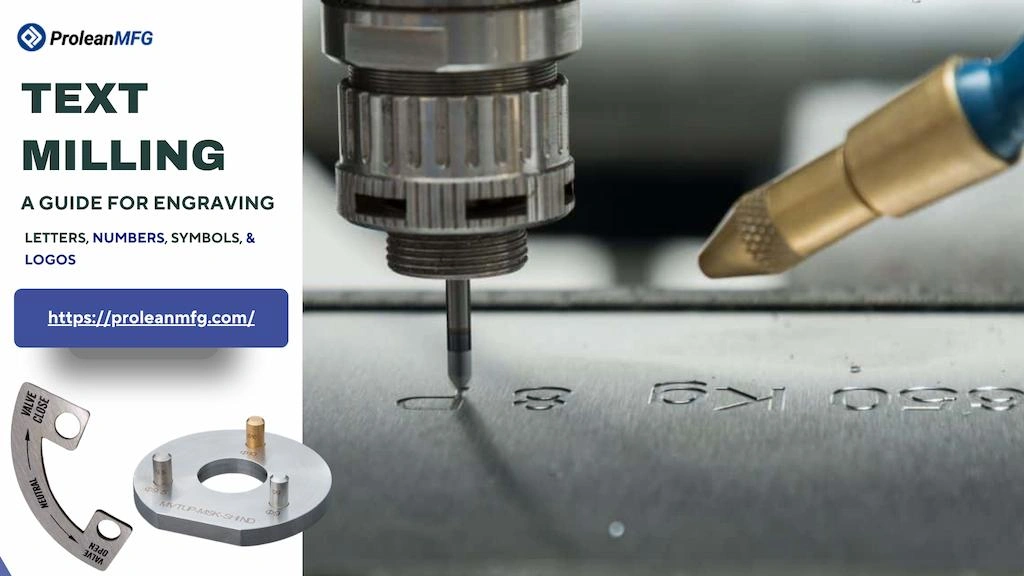

Have you ever noticed logo and model names on your car parts or serial numbers on machinery components? Such text, symbols, or numbers are typically machined with a text milling process.
With the use of CAM software and programming for CNC Milling, you can cut or engrave easily readable text & numbers for part identification, safety information, part numbering, assembly guidance, legal purposes, and aesthetics.
However, text milling is not free from operational challenges & precision issues, and demands careful consideration of text font, size, placement, and material type.
What is Text Milling?
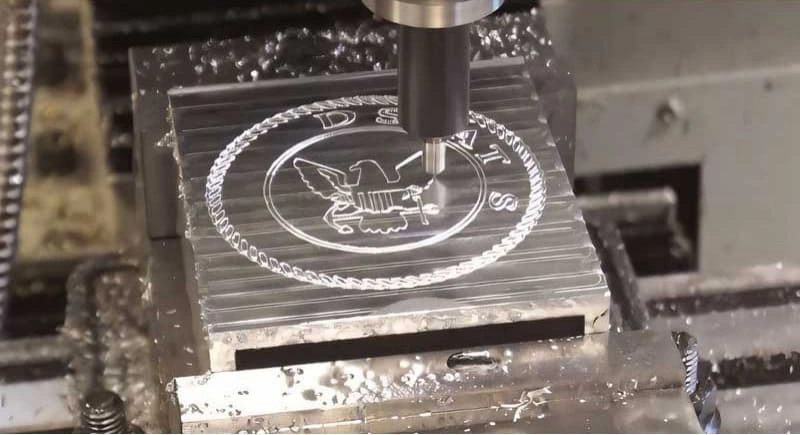
CNC engraving
Text milling is the permanent engraving or marking of text (characters, symbols, logos, numbers, etc.) on a material surface using a rotating cutter. Manufacturers use CNC machines for milling pre-designed text, as they can control the tool for precise material removal, following the G-codes specified in the CNC Program.
CNC engraving offers high machining speeds, accuracy of text shape & sizes, and repeatability. Additionally, you can mill raised (embossed) or shallow text on both metal and plastic workpieces.
The Step-wise Workflow of the Text Milling Process
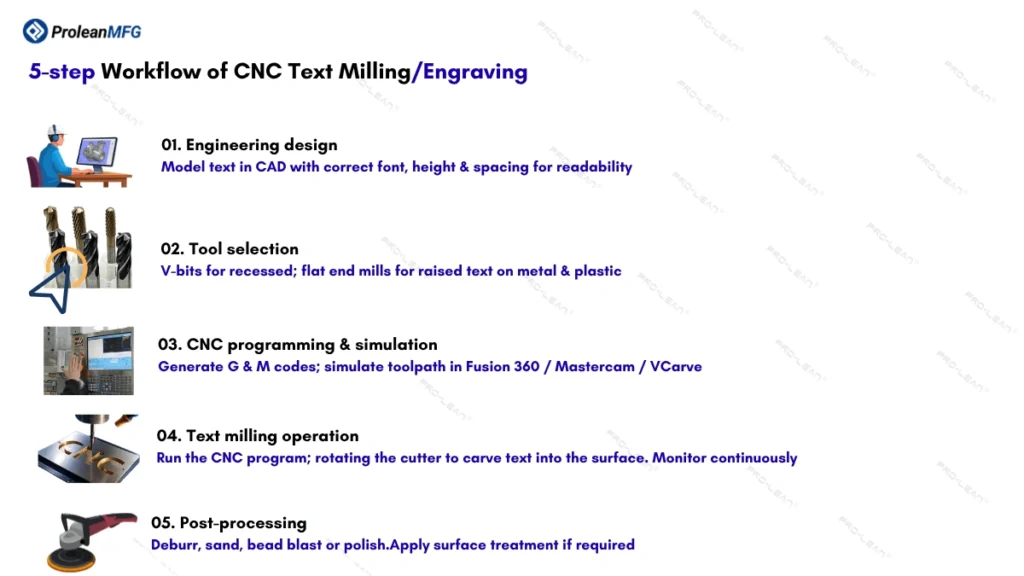
CNC engraving steps
Text milling processing involves multiple steps: text designing, milling tool selection, CNC programming, tool path simulation, milling operation, and post-processing.
Let’s break down each step in brief.
1. Engineering Design
The design of text to be milled involves creating engineering models of text in CAD software with the correct size, height, font, spacing, etc. A well-designed part is not only important for text readability but also for machinability and milling speed.
2. Tool Selection
Next, choose the appropriate tool for text milling based on the workpiece material, text curvature, desired finish, and other relevant factors. For instance, V-bits and small-diameter end mills are suitable for CNC engraving recessed text, whereas flat end mills and corner-radius end mills are preferred for milling raised text.
3. CNC Programming and Tool Path Simulation
Based on the design you have made, generate the CNC program ( G & M codes) that will dictate the tool movement, speed, feed, coolant flow, and other functions. Then simulate the tool path and optimize it to avoid collisions and reduce cycle times.
You can use software such as Fusion 360, Mastercam, and VCarve for CNC programming & tool path simulation.
4. Text Milling
Once you set up the machine, tool, and workpiece, run the uploaded CNC program. The rotating tool carves (or cuts) the material to form the designed text on the material surface. In this step, you must continuously monitor the process.
5. Post-processing
After text milling, process the parts with deburring, sanding, bead blasting, polishing, or other surface treatment techniques.
CNC Engraving on Metals, Plastics, and Composites
CNC text engraving can be performed on metals, plastics, composites, wood, and ceramics. At ProleanMFG, we can perform text milling and CNC engraving on alloy steels, stainless steels, aluminum, copper, bronze, ABS, PC, PP, PTFE, PEEK, CF-composites, and other various engineering materials.
As each material possesses a different level of machinability, you must consider some specific factors based on material type while cutting or engraving text on them.
| Material Type | Tooling | Milling Speed | Special Considerations |
| Metals | Coated carbide end mills or V-bits | Low to moderate | Machinability and coolant use, feed, and work-hardening |
| Plastics | Sharp end mills (single-flute) or CNC engraving bits | High speeds | Heat build-up and material melting |
| Composites | Diamond-coated engravers or carbide cutters | Moderate with controlled feed | Abrasiveness, setup rigidity, material delamination, and rapid tool wear |
Rules and Guidelines for Text Milling Design
Text milling design influences the ease of milling, clarity of machined text, and their structural integrity, and overall cost. Therefore, you must follow certain critical rules when designing text for milling in CAD software.
Let’s elaborate on four key text milling design rules
Choose the Right Relief Mode: Raised Text vs. Recessed Text
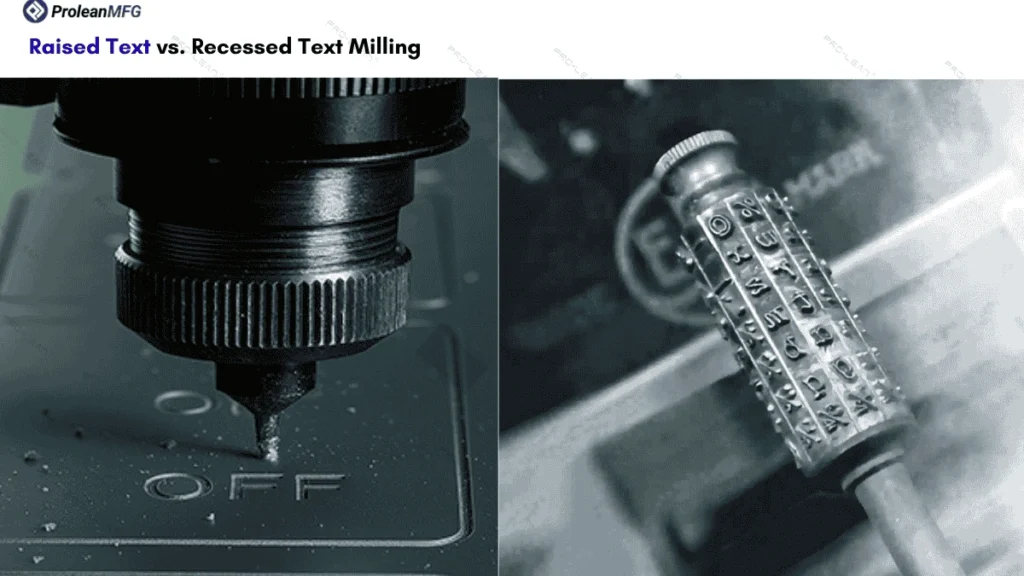
Raised text vs. recessed Text
Raised and recessed are two relief modes in text milling design, and you need to choose the suitable mode based on the desired appearance and detailing. Raised text is embossed above the part surface, whereas recessed text is recessed to a small depth below the part surface.
Choose Raised text mode for excellent wear resistance, durability, and minimal text fading. However, they involve a higher amount of material removal and consume more time.
Choose the recessed mode for fine detailing and faster milling cycles. Milling recessed text is also more cost-effective than raised text milling.
Choose Between Centreline and Outline Path Type
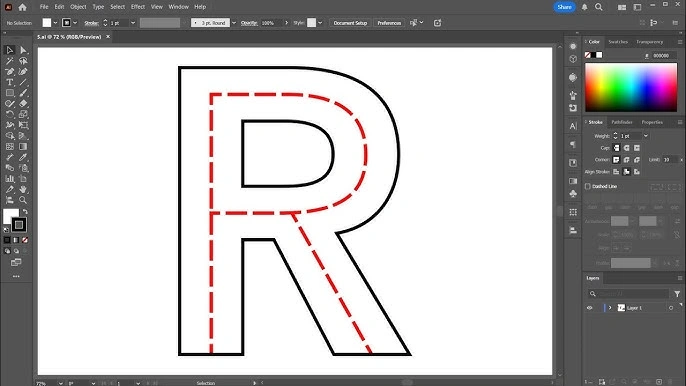
Centerline path type
Choose the centreline path for thin-script milling, serial numbers, decorative text, labels, etc. It is suitable when you need faster text engraving with minimal thickness and an elegant appearance.
Choose an outline path for text, symbols, or logos to ensure high text visibility. For instance, block & bold text, logos, and patterns.
Text Font Selection
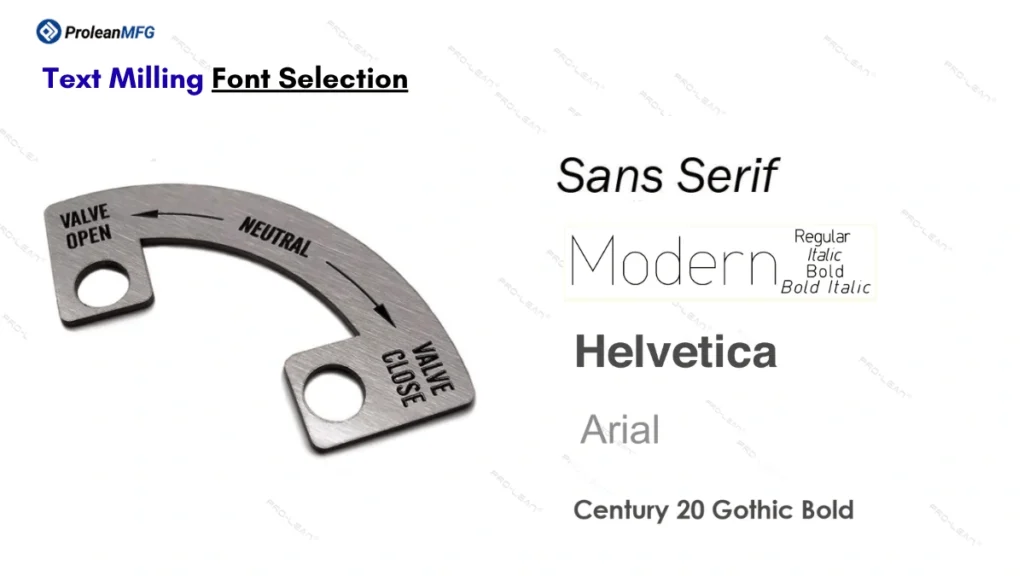
Text milling fonts
Choose sans-Serif fonts for simplicity and ease of milling, such as Century Gothic Bold, Helvetica, Arial, and Open Sans. These fonts look clear for medium- to large-sized text after milling.
If you are milling numbers or small text, choose single-line fonts. They have minimal curvature, which helps reduce tool path complexity and machining time.
Do not use fine serif fonts, as they look relatively unclear. Additionally, these fonts include curls and are difficult to machine due to limited tool access and complex paths.
Choose Font Size for Optimal Clarity
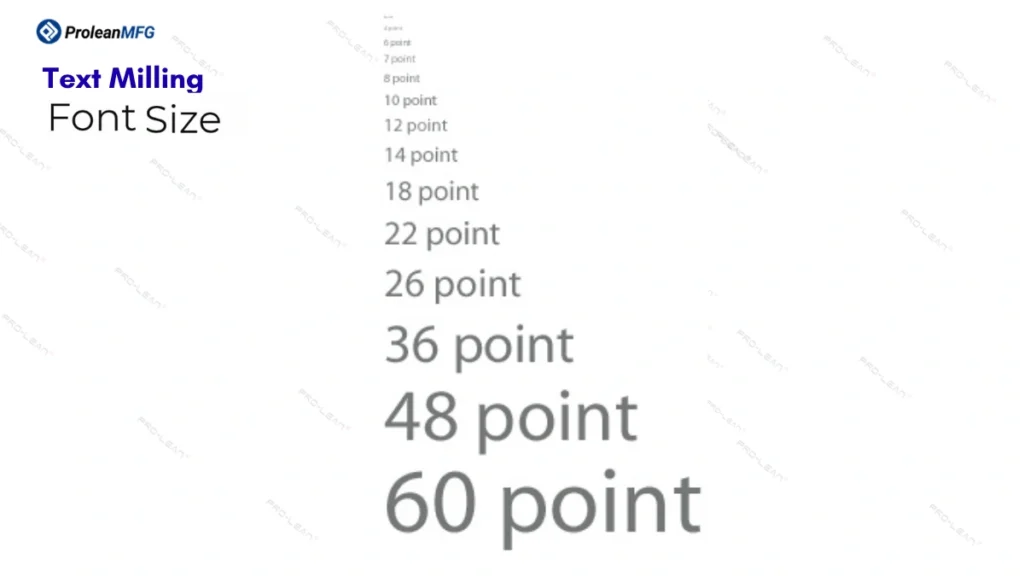
Text milling font size
Font size should be chosen for optimal clarity, readability, and easy tool access. Therefore, choose the right stroke width, height, and cutting depth.
- Stroke Width: ≥ tool diameter
- Cutting Depth: ~ 0.3 mm
- Maximum Engraving Depth: 0.1 x Workpiece Thickness (t)
- Minimum Character Height: 2.5 mm (20-point font size)
Consider Sharp Corners, Edge Clearance, and Text Placement
Since milling tools are round, avoid sharp internal corners of characters. Do not place text near the edges and in high-stress sections to maintain structural integrity. Consequently, ensure proper spacing between characters and words to avoid overlap.
Choosing CNC Engraving Cutters for Text Milling
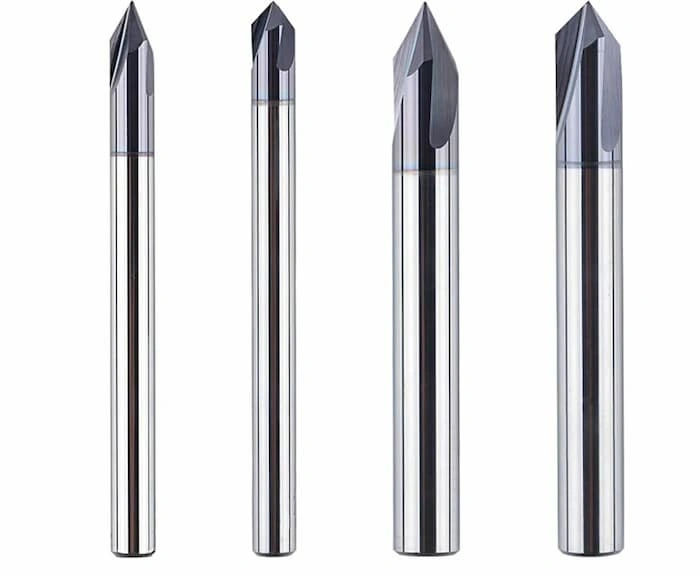
CNC engraving tools
Along with the right design, you must choose the right type of CNC engraving cutters to create the text impressions on the workpiece material. Standard engraving cutters, V-bits, ball-nose end mills, and micro engraving cutters are the common tools for CNC text engraving.
The tool size must match the character size, be accessible to the workpiece area where you want to engrave text, and provide effective material removal.
Next, the table below further elaborates on common types of CNC text engraving cutters/tools.
| Tool | Geometry | When to Use? |
| Standard Engraving Cutters | Small radius on the tip and multiple cutting edges | General-purpose engraving |
| V-bits | V-shaped pointed tip and available in different angle variations, such as 30°, 60°, 90°. | Fine & detailed texts with sharp corners |
| Ball-nose End Mills | Ball-shaped hemisphere tip | When sharp engraving is not required |
| Micro Engraving cutters | Fine-pointed tip and a single flute | Micro texts, fine lines, and other delicate engraving |
What Are the Advantages of Text Milling?
Durability, integrated text finish, precision, flexibility, and the capability of deep carving are the main advantages of text milling.
- Durability: CNC engraving carves permanent text that lasts as long as the parent component.
- Integrated Text: CNC-milled text is created through material removal and is integrated into the part.
- Precision: Due to CNC automation, a tool follows a predetermined path and offers high precision in text milling.
- Flexibility: With text milling, you can create both embossed and recessed text. Additionally, the process is compatible with diverse materials.
- Carving depth: Deep letter, number, or symbol carving can be done with CNC text engraving, up to ~0.6 mm.
What Are the Disadvantages of Text Milling?
Text milling also has some disadvantages, including time consumption, high initial investments, the requirement of skilled operators, and tool wear.
- Time-consuming: Compared to laser engraving, milling custom text is time-consuming.
- Initial Cost: The machine installation and setup are not cost-friendly.
- Expertise for Operation: For text milling, skilled CAM programmers and CNC operators are needed.
- High Tool Wear: CNC engraving tools tend to wear more quickly than other types of milling tools.
Materials Compatible with Text CNC Engraving Process
You can engrave texts on different metals, alloys, composites, and engineering plastics. One key factor in material compatibility for CNC engraving is the workpiece’s hardness, which you should consider when choosing the engraving tool, tool material, and machining parameters.
Next, the list below shows compatible materials for the text engraving process.
- Aluminum alloys
- Steels(stainless, mild, and alloy steels)
- Copper and its alloys
- Brass and Bronzes
- 925 Sterling Silver, fine silver, and argentium silver
- Engineering plastics, such as PMMA, PC, PVC, ABS, POM, and Nylon
- Composites, such as carbon fiber, fiberglass, and laminates
- Ceramics and woods
What Are the Differences between Text Milling in Metals and Plastics?
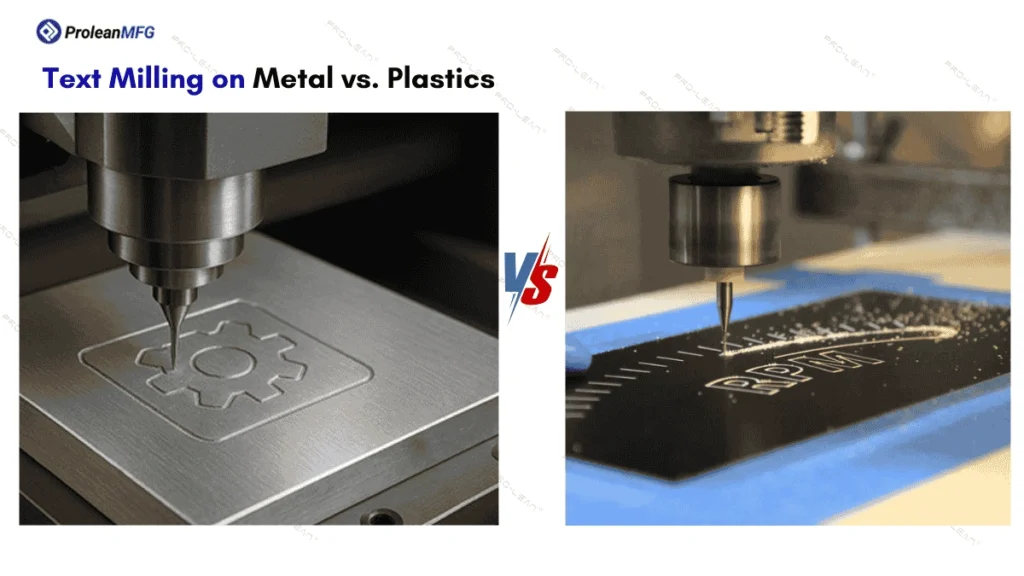
Metal & plastic engraving
Text milling on metal and plastic workpieces differs in spindle speed, tooling, heat generation, and process challenges. Plastic materials can be engraved with lower cutting forces, but they are prone to thermal defects and demand effective heat management.
Let’s look at the comparison of text milling on metal vs plastic workpieces.
| Parameter | Metal Text Milling | Plastic Text Milling |
| Spindle speed | High spindle speed with controlled feed | Low to moderate speeds to avoid excessive heat |
| Tooling | Carbide tools with TIN, or other hard coatings. Tools with multi-flutes for better chip evacuation | Sharp single or O-flute cutters |
| Heat Generation | Relatively higher | Lower heat generation, but sensitive |
| Coolant | Flood coolant | Air blast or MQL |
| Depth of cut | shallow and small increments | Relatively deeper cuts in a single pass |
| Milling Challenge | Material hardness and tool wear | Low melting points and risk of thermal expansion |
Common Text Milling Issues and How to Troubleshoot Them
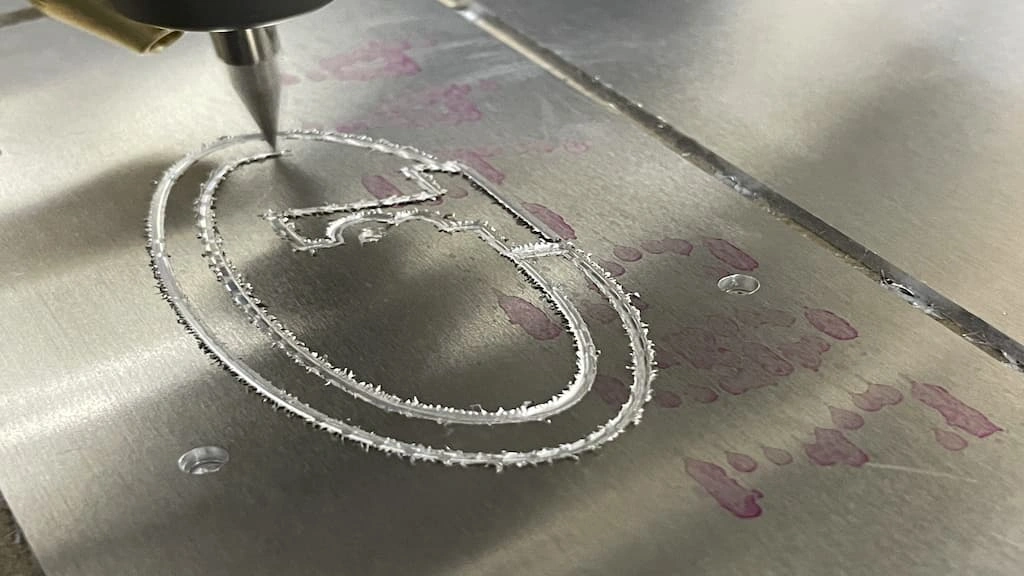
CNC engraving issue
Inconsistent depth, tool path issues, and plastic melting & gumming are common text-milling issues. Let’s look at their causes and troubleshooting below.
Inconsistent Depth
Uneven or inconsistent character depth not only affects the appearance of text but also reduces its durability. This problem arises due to fixturing errors. The tool tip does not consistently remain on the surface at the same level throughout the process, resulting in uneven depth.
Troubleshoot: Adjust Fixturing and Check G-codes
- Prepare the text milling surface before engraving to ensure perfect flatness, so that uniform depth can be achieved.
- Calibrate the machine & tool setup and correct the alignment.
- Check the G-code lines, as the uneven depth problem can also be caused by programming errors.
Tool Path Issues
Tool path issues are often caused by programming errors or worn cutting edges. This results in missing characters, overcut corners, and longer cycles.
Troubleshoot: Check the CNC Program and Tool Radius and
- Look for G-code errors, such as open vectors and broken paths.
- Use the correct tool diameter and switch to the centerline path
Material Melting and Gumming
Excessive heat generation, poor coolant flow, and higher spindle speeds are the root causes of melting & gumming during plastic text milling. This issue is also seen in aluminum and other metallic workpieces, though it is less common.
Troubleshoot: Adjust Spindle Speed and Ensure Efficient Chip Evacuation
- Reduce spindle speeds
- Apply the required coolant flow to control the heat buildup and better chip evacuation
Text Milling Tips for Precision and Avoiding Mistakes
You need to consider an easy-to-read font type & size, maximum depth thickness, finish passes, continued chip evacuation, and other factors to ensure precision & avoid mistakes during text milling.
- Choose fonts highly compatible with text milling, such as sans-serif fonts with a size larger than 20pt.
- Set the cutting depth maximum to 10% of the material thickness to maintain structural integrity and avoid tool deflection.
- Apply finish passes with a cutting depth of 0.025–0.05 mm.
- Ensure continuous chip evacuation with flood coolant or air blast.
- Consider a small angle of ramp entry & exit to reduce chip loads.
- Choose the tool type and coating based on the workpiece material’s hardness.
Text Milling vs Laser Engraving Vs Ink Marking
Besides text milling/CNC engraving, laser engraving & Ink marking are two other methods of creating desired text on manufactured components. Laser engraving uses a high-powered laser beam to remove material & create text impressions, whereas ink marking adds text as a surface layer using inks or dyes without removing any material.
Text Milling Vs Laser Engraving
Text milling is preferred over the other two methods when you need deep, clear, and highly durable text impressions. On the other hand, laser engraving is better suited for shallow text (depth < 0.5 mm), fine detailing, and high precision. For instance, serial numbers & small logos.
Text Milling Vs Ink Marking
Unlike text milling, ink marking deposits ink or dye on the material surface to mark the designed texts. Although it is temporary and a surface-printing approach, you can add custom text at high speed and at low cost. Furthermore, ink marking is suitable for low-performance parts & products, such as packaging and low-cost spares.
What is the Cost of Text Milling on Custom Parts?
Manufacturers typically combine the cost of text milling with the overall machining cost of manufactured parts, and per/hour milling costs range from ~$30 to $200+.
The exact cost depends on several factors, including material hardness, desired precision, font type & size, and production volume. Subsequently, machining complexity further increases costs by increasing setup & programming costs and requiring skilled operators.
Conclusion
Text milling is an ideal method for adding permanent & durable text, numbers, or symbols to manufactured parts for identification, traceability, assembly guidelines, short info, or aesthetics.
The precision, quality, and durability of text-milled components are significantly influenced by design, the capabilities of the equipment & setup used, tool selection, toolpath strategy, and operator expertise. Therefore, you must consider distinct factors in each step to ensure optimal results.
CNC Milling Services at ProleanMFG: Mill Your Parts with Custom Text, Logos, and Symbols
Do you need on-demand manufacturing parts with custom texts, logos, or symbols on their surface? ProleanMFG offers CNC milling services that encompass everything from text milling design assistance to aesthetic finishing of milled parts.
No matter which purpose your parts need permanent texts, our multi-axis CNC milling machines can create clean, precise, and easily readable texts through engraving or cutting. We are also flexible with production volume and can provide cost-effective solutions for prototyping and small batches.
FAQs
What does it mean to engrave a text?
Engraving a text means carving/cutting any kind of text, including characters, numbers, and symbols.
What is the easiest font to use for CNC engraving?
Sans-serif fonts like Century Gothic Bold and Helvetica are considered the easiest to use for CNC engraving, as the tool can easily follow a single path per letter.
What is the difference between centerline and outline engraving?
The difference between centerline and outline engraving is how the tool follows the path to remove material and create text. The tool follows a single path through the centre of the character during centreline engraving, whereas it follows the outer edges of the letter during outline engraving.